
Why Carousels Are the Best Content Format in 2026 (And What the Algorithm Actually Rewards Now)
There's a running joke among creators that every year someone declares a new "best format" on Instagram.
2022: short Reels. 2023: longer Reels. 2024: nothing works, just post more. 2025: threads, maybe?
2026 is different. Because for the first time in a while, the data is actually loud, consistent across platforms, and pointing at one format: carousels.
You're probably noticing that your carousel posts are getting more attention than your videos, and that's not just your imagination. Maybe you've seen a friend with way fewer followers than you get a huge response to a carousel post - like 40,000 saves on a 7-slide post. It's not that Reels are dead, it's just that something else is going on here. Carousel posts are somehow performing better, and it's not just you who's experiencing this.
Here's what's actually going on, with the numbers, and what it means for how you post for the rest of the year.
The 30-Second Version
- In 2026, Instagram's algorithm ranks content primarily by dwell time, saves, and shares - not likes or views.
- Carousels are way ahead of the others in all three areas, beating them by a big difference. They really stand out when you look at the numbers.
- Instagram carousels: ~1.92% average engagement (highest of any format). Mixed-media carousels (image + video): 2.33%.
- LinkedIn carousels: ~6.6% median engagement - roughly 278% more than video on that platform.
- This style is no longer just for Instagram, it's now being used on other platforms like TikTok, where you can create photo carousels, and even on LinkedIn, where you can share documents. It's a change that's happening across all social media platforms, not just one.
- The bottleneck is no longer "should I post carousels?" - it's "how do I make good ones without spending 40 minutes per post?"
Now the full version.
📖 What Is a Carousel Post, Really?
A carousel post is a single post containing multiple slides - images, videos, or both - that users swipe through horizontally.
On Instagram it's a "carousel post." On LinkedIn it's a "document" or "carousel." On TikTok it's a "photo carousel." X (Twitter) technically supports multi-image posts that behave similarly. The naming changes; the format doesn't.
A carousel is basically just a single post with a few slides, usually between 2 and 10. But when you think about it, it's so much more than that. It's the one format that actually asks the person looking at it to get involved. Every time you swipe, you're making a tiny choice to keep going. And each slide is like a little test - if it's good enough, you'll want to see the next one. It's like the carousel is trying to win you over, one slide at a time.
The tiny difference is what makes the format a winner in 2026. You see, everything that happens after that is because carousels get people involved, whereas other formats just get people to watch. It's like, carousels make things interactive, and that's what sets them apart. This interaction is what drives everything else, and it's the reason why the format comes out on top.
📊 The Actual 2026 Numbers
Let's talk facts, not feelings. We're looking at real numbers here, straight from the latest reports by Socialinsider, Buffer, Metricool, and even LinkedIn's own research.
Instagram (2026):
- Average engagement rate, all formats: ~0.48% (down 24% YoY across platforms)
- Carousel average engagement: ~0.55% to 1.92% depending on the study and niche
- Mixed-media carousels (image + video slides together): 2.33% - the highest of any post type
- Carousels generate 114% more engagement than single-image posts and ~12% more than Reels
- Instagram re-serves carousels to followers who didn't swipe through on first view. No other format gets that second-chance distribution.
LinkedIn (2026):
- Carousel median engagement: ~6.6% (the top-performing format)
- 278% more engagement than video posts
- 3.4× more reach and 2.1× more engagement than single-image posts
- Accounts under 50K followers hit 2.5%+ engagement on 5-10 slide carousels consistently
TikTok (2026):
- TikTok video still leads on TikTok specifically (3.39% median). But TikTok photo carousels are one of the fastest-growing formats on the app, now getting pushed heavily in the For You feed.
- Shares on TikTok are up 45% year-over-year - and carousels are disproportionately what gets shared.
No matter what platform you're using, carousels are really performing well. They're doing it in a steady way, not just getting a lot of attention every now and then like Reels do.
🧠 Why the 2026 Algorithm Actively Favors Carousels
Here's the part that changed.
Instagram's ranking system has changed a lot by 2026. Now, it doesn't just look at likes as much as it used to. Instead, it cares more about how long people stay on your post and how many times they interact with it. Think of it like this: the algorithm wants to know if people are actually spending time on your post, and if they're doing things like swiping through or clicking on links. It's not just about getting likes anymore, it's about keeping people engaged. The longer they stay, and the more they interact, the more the algorithm thinks your post is worth showing to others.
When someone looks at a picture, we can tell if they scrolled past it or stopped to look. This gives us one piece of information about what they did.
A video that's engaging gets more attention: people watch it longer, it gets replayed, and they see it all the way through.
A 10-slide carousel gives Instagram ten separate data points - one per slide. Each swipe is a distinct engagement event. Each pause on a slide is measurable dwell time. The algorithm gets ten reasons to keep distributing the post instead of one.
That's why creators are seeing carousels keep growing for a week after they post, while Reels peak in 48 hours.
And the weighting has shifted too. Current signal weights (reverse-engineered from creator data and public statements):
- DM shares are around three to four times heavier than something similar.
- Saves → ~2× the weight of a like
- Comments → ~2× the weight of a like
- Likes → baseline
- Views alone → almost no ranking weight
Which metrics do carousels absolutely dominate? Saves, shares, comments. Exactly the ones the algorithm cares about most.
🎯 What Carousels Are Actually Great At (That Nothing Else Is)
Beyond the numbers, carousels do something strategically that other formats can't:
1. They teach. A 7-slide educational carousel is basically a mini-essay. Reels are too fast. Single images can't hold depth. Carousels are the one native format where real information fits.
2. They tell stories with pacing. Slide 1 is the hook. Slide 2 is the context. Slides 3-8 are the build. Slide 9 is the payoff. That's novel structure, in a post. No other format gives you that.
3. They really add up. You see, Instagram still shows carousel posts to people who don't swipe through them, even days later. So, if you post a carousel on Monday, it'll still be visible to some users on Thursday. Reels might get a lot of attention at first, but they tend to fizzle out quickly. Carousels, on the other hand, keep performing well without making a big fuss.
4. They build reputation. People who post good carousels get perceived as experts. People who post good Reels get perceived as entertainers. Both are valuable - but if you're a coach, founder, agency, SaaS, or any kind of B2B creator, carousels are doing work Reels can't.
5. They actually work. Carousels get way more people visiting profiles, about three times more than Reels, and they also get twice as many saves. And the thing is, saves and profile visits are the two things that really matter when it comes to getting new followers and new customers.
Views are a glance. Saves are an intent. DM shares are a recommendation. Carousels produce all three.
✍️ What Actually Makes a Carousel Work in 2026
If you're going to lean into the format, here's what the data says separates carousels that pop from carousels that die.
The first slide is crucial - it's what grabs your attention and makes you want to keep reading. If it's not interesting, you'll just keep scrolling and nothing else will matter. A lot of people don't put enough thought into this part. A good first slide should make a promise, say something that goes against what people usually think, include a surprising number, or have a visual that catches your eye. You shouldn't start with something boring like "here are 5 tips for..." - that's just not going to cut it. You need to make an impact right from the start.
5-7 slides is the sweet spot. Benchmarks show 10 slides is the max before completion rate drops below 60%. 3-4 slides leaves dwell time on the table. 5-7 is where engagement rate peaks for most niches.
Design each slide for its job, not for consistency. This is the new rule that templated carousels get wrong. Every slide has a different role (hook, context, insight, proof, payoff, CTA) - it should look different accordingly. Carousels where every slide is visually identical lose attention by slide 3.
Use 4:5 (1080 × 1350), not square. Portrait takes more feed space. More feed space = more dwell time = better ranking.
Write the caption and first comment as part of the carousel, not after it. In 2026, the caption and pinned first comment are doing a surprising amount of algorithmic work - they're scannable text the ranker reads. Treat them as slide 11 and slide 12, not afterthoughts.
Seamless or distinct - pick one. "Seamless carousel" design (where slide 2 visually continues slide 1) is a strong style choice that encourages swipes. So is fully distinct per-slide art direction. What doesn't work: vaguely similar slides that look like you used the same template and changed the words. That's the look the algorithm and audience are both fatigued by.
⚠️ The Real Reason Most Creators Don't Post Carousels Enough
They're hard to make well.
Creating a polished 7-slide carousel in Canva can be a time-consuming process, taking anywhere from 20 to 40 minutes to complete. This involves finding the right template, customizing it to fit your needs, and making sure not to disrupt the design. Consistency is key, so you'll need to ensure the visual identity remains the same throughout. On top of that, you'll have to write the copy, craft a compelling caption, come up with relevant hashtags, and even write the first comment to get the conversation started. If you're planning to post three carousels a week, that's a significant investment of 2-3 hours of design work every week, and that's before you've even started filming or writing any other content.
So, why do most creators only post one carousel a week, and then kind of disappear into Reels? It's not that carousels aren't effective, because they actually are. The thing is, making carousels can be really expensive, especially when you consider how many you'd need to create in order to see real results. To really make the most of the carousel format, you'd need to be posting multiple carousels all the time, and that just isn't feasible for most creators, given the cost. That's why they tend to focus on Reels instead, which are generally easier and cheaper to produce.
There are a few ways out:
- Templates. Canva templates are fast but they're everywhere. The top 20 carousel templates have been posted thousands of times since 2023 - in 2026, audiences recognize them the way they used to recognize stock photos.
- Design in Figma / Photoshop. Faster ceiling, higher floor, but requires real design skill.
- Hire a designer. Works, but $200-$500/month minimum and turnaround is slow.
- AI carousel makers. The newer option. Good ones generate the whole carousel - slides + caption + hashtags - from a single prompt in under 2 minutes.
The fourth option is what's changed the economics in 2026. Not because "AI is hot," but because the math of posting 3x more carousels finally makes sense.
🤖 Where AI Carousel Generators Actually Fit
A quick honest take on AI carousel tools in 2026, since the category has exploded.
There are roughly two kinds:
Template-based AI carousel makers. Using these can be a quick and affordable way to create content, but it has its downsides. These tools take your text and insert it into a pre-designed layout, which can make your output look like it was made with the same tool as everyone else's. The problem is, if the algorithm and your audience have seen the layout before - and chances are, they have, since these tools tend to generate the same 20 layouts over and over - you'll end up paying the price of looking too familiar. Your content might not stand out the way you want it to, and that can be a real drawback.
Bespoke AI carousel generators. These design every slide from scratch using image generation models, adapting composition, type hierarchy, and visual treatment to the actual content of each slide. Higher cost per generation, but the output doesn't scan as "templated" because it isn't.
To really make your content shine, your carousels need to be unique and stand out from the crowd, especially when everyone else is posting similar things. Using templates can make your carousels look like everyone else's, which isn't what you want. On the other hand, custom-made carousels can help you break away from the pack and make your content truly special.
This is the reasoning behind what we built.
⚡ How We Think About It (Rescroll Carousels)
We're a content tool for creators, and we kept running into one problem ourselves: carousels were working better than anything else we posted, and we couldn't make enough of them.
So we built a carousel generator that does the full loop:
- You describe your carousel in one sentence.
- The AI looks for the latest research on the internet, so the information it provides is based on current data, not just what it learned back in 2022. This means the content is always up-to-date and reflects the newest findings.
- It designs every slide bespoke - different composition, different type, different treatment per slide. Not templated.
- The ZIP file has everything you need from the slides, including the size which is 1080 by 1350, the caption, hashtags, and even the first comment. So, there's no other information that needs to be added.
- Total time: about 90 seconds.
A popular creator, tech_wizzdom, who has a huge following of 540,000 people, shared a simple Rescroll carousel and it quickly became a hit, getting 238,000 views in just one week. What's really interesting is that this was his first try, and he didn't even edit it - he just posted it as is.
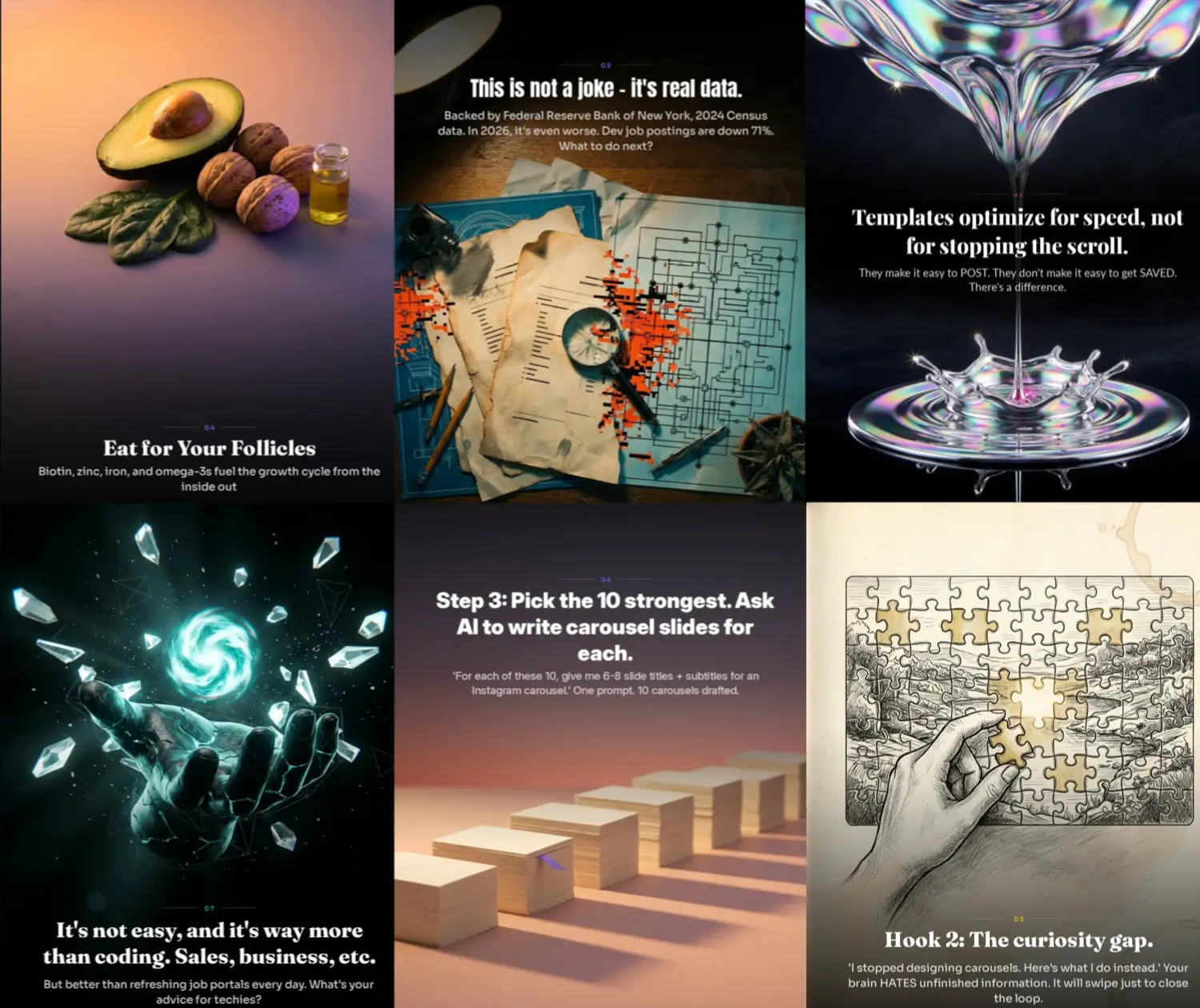
To get a sense of what "custom-made content for each slide" actually looks like, as opposed to the usual automated templates, you can check out our gallery which showcases this approach in action.
Honestly, the format is really great for posting in 2026. A lot of creators aren't using it as much as they could, and that's mostly because it takes time. If you're having the same problem, we've come up with a solution to help with that.
TL;DR
- Carousels are the best-performing content format in 2026. Not hype - the numbers are consistent across Instagram (1.92% engagement, top format), LinkedIn (6.6%, 278% above video), and TikTok (fastest-growing format by share rate).
- The algorithms in 2026 reward dwell time, saves, and shares - three metrics carousels dominate.
- A 10-slide carousel gives the algorithm 10 data points vs. 1 for a single image. It's a ranking advantage, not a content preference.
- 5-7 slides is the engagement sweet spot. Slide 1 is 80% of the outcome. Use 4:5 (1080×1350).
- Using carousels can really help you build a good reputation and get more people to take action, which is something that Reels can't do as well, especially for people like coaches, founders, or those creating content for businesses.
- Making more carousels can be a real challenge for creators, and it usually comes down to one thing: time. If you can find a way to save time, you can post more carousels and they'll actually work better for you than any other type of post. The more you post, the faster you'll see results.
Reels get you seen. Carousels get you followed, saved, shared, and hired.
In 2026, those are not the same thing.
Sources:
- 2026 Instagram Organic Engagement Benchmarks - Socialinsider
- The State of Social Media Engagement in 2026 - Buffer
- Best Content Format on Social Platforms in 2026 - Buffer
- LinkedIn Organic Benchmarks 2026 - Socialinsider
- Instagram Carousel Algorithm 2026 - TryMyPost
- How the Instagram Algorithm Works - Sprout Social